
 Tracking & pixels
How do I give an agency access to Google Tag Manager?
Add your agency's email at account level in Google Tag Manager with publish rights, so they can fix tracking without asking you for every tweak. The container stays yours.
Two situations, one page. If you don't have your Google Tag Manager account yet, create it first and it stays yours. If you already have it, jump straight to inviting your agency. Pick your situation below.
Tag Manager is the toolbox that holds all the tracking pixels (Meta, TikTok, Google) in one place, so nobody has to edit your website code every time.
Create an account
↗ tagmanager.google.comSign in with your business Google account and click Create Account. Click to enlarge
Name account + container
Account = business name. Container = your website address. Target platform: Web, then create it. When GTM shows the code snippet, just close it. Invite whoever is installing it for you. Click to enlarge
Add the emails of the people you're giving access to at account level, with publish rights.
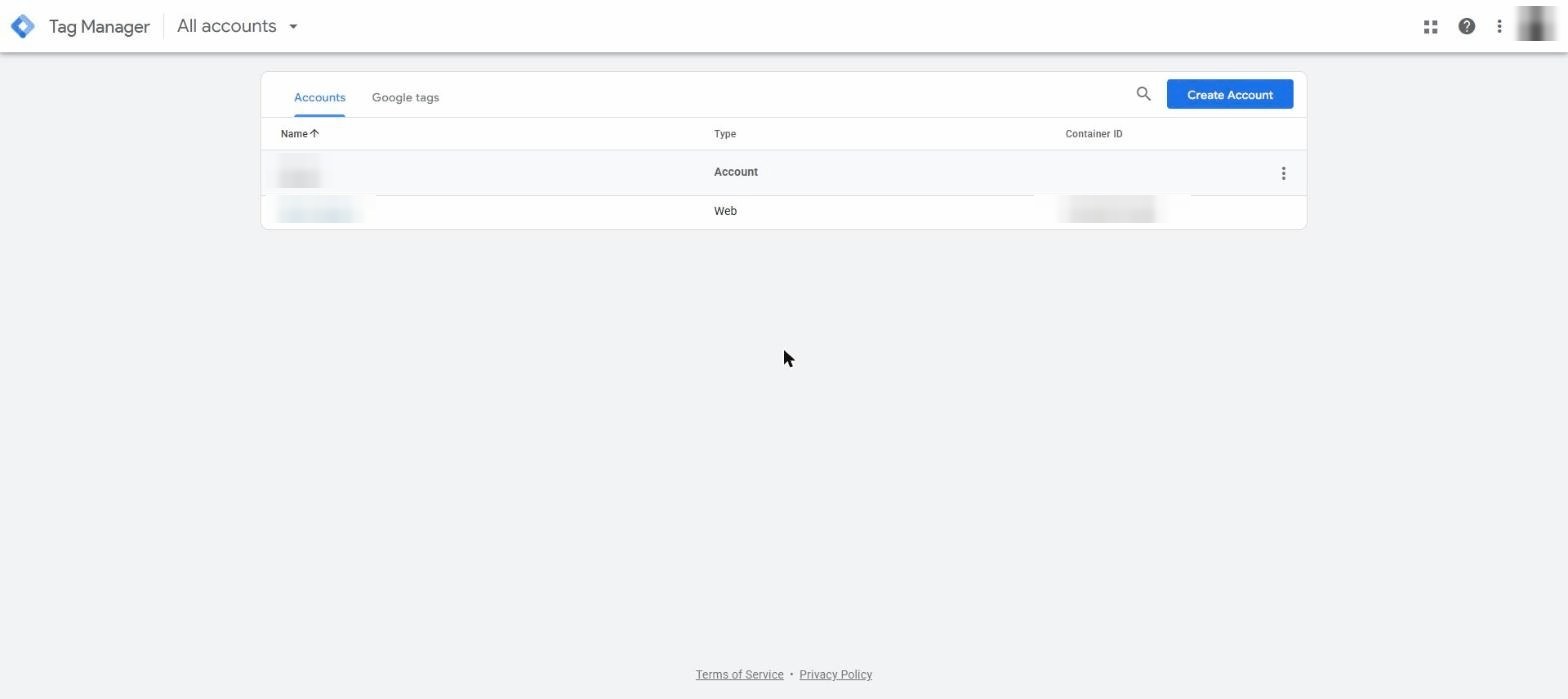
Open “User Management”
Click the ⋮ (three dots) at the right of your account row, then User Management. Click to enlarge
Click “+” → “Add users”
 Click to enlarge
Add these emails
Account permission: Admin. Container permission: Publish. Then Invite. Click to enlarge
Done
They'll accept the email invitation on their side. Click to enlarge
Want this as a branded checklist you can send?
Easier Access turns these guides into one branded link your clients follow, with live progress tracking. Eleven platforms, your brand on every link.
See pricing